How to Use AI to Backtest Trading Strategies (Without Writing Code)
Use AI to backtest trading strategies without code. Generate Pine Script from plain English, run TradingView’s tester, iterate on results.
A backtest answers one question: would this idea have made money? For most traders, getting to that answer used to mean two weeks of Pine Script tutorials, a dozen syntax errors, and a strategy that mostly tests whether you can code — not whether the idea works.
AI changed that. In 2026, you can describe a trading idea in plain English, generate working Pine Script in under a minute, and have backtest results inside TradingView's Strategy Tester within five. The bottleneck is no longer code. It's deciding which ideas are worth testing.
This guide walks through the AI-driven backtesting workflow end to end: how to phrase a strategy idea, how to validate the generated code, how to read the Strategy Tester output, and how to iterate without ever touching Pine Script syntax.
The Old Way vs. The AI Way
Before AI Pine Script tools, the backtesting pipeline looked like this: read about a strategy idea, spend a weekend learning enough Pine Script to implement it, write the code, fix five compile errors, load it into TradingView, realize the entry logic is wrong, rewrite, debug, retest, and finally get a backtest result a week later.
For most retail traders, debugging killed the project before the backtest. The ratio of code-debugging hours to actual strategy-testing hours was something like 20:1.
The AI workflow collapses that pipeline into four short steps: describe, generate, backtest, iterate. You spend your time thinking about the strategy, not the syntax. A trader who used to test two ideas a month can now test ten in an afternoon.
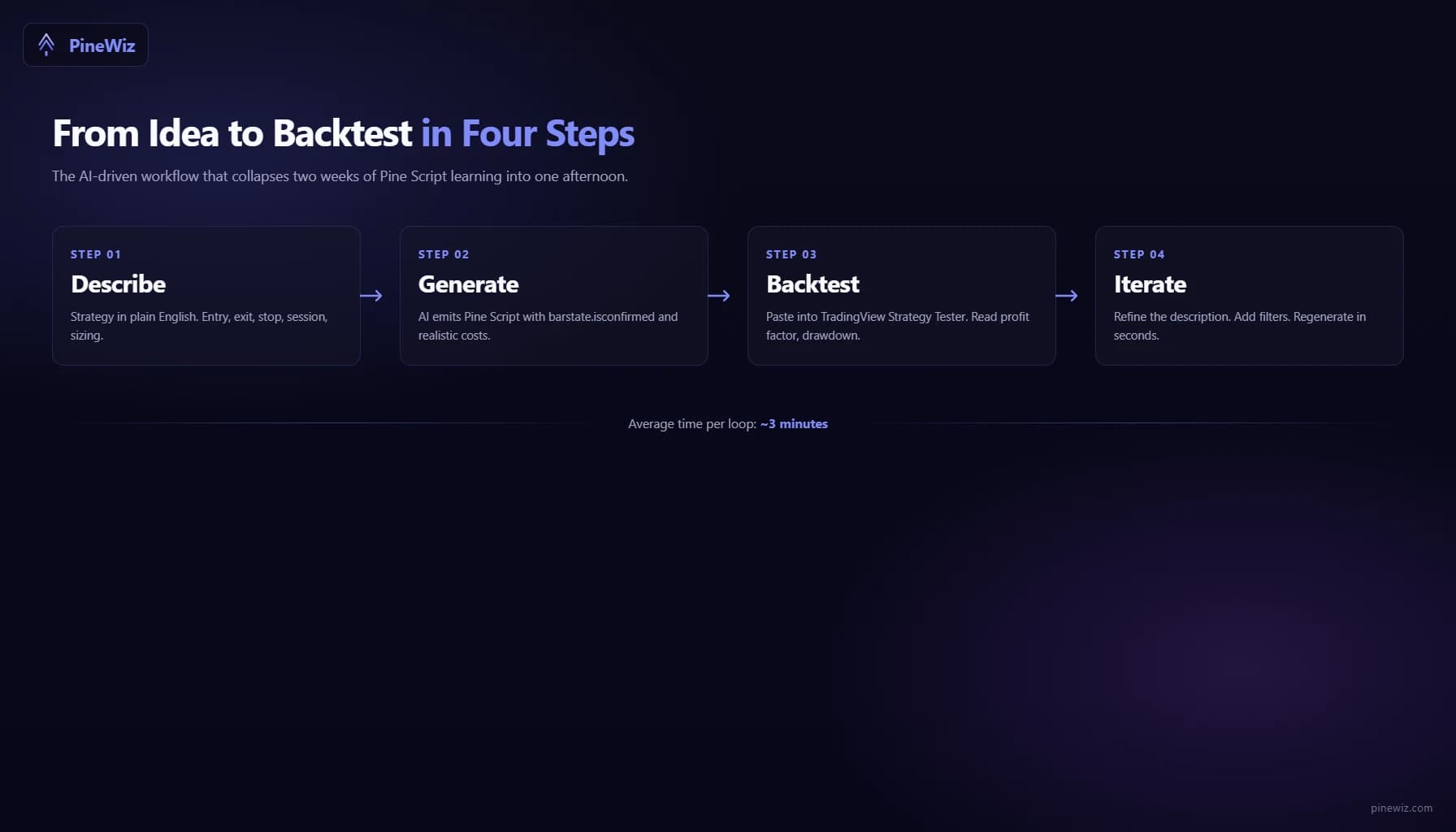
Step 1: Write a Specific Strategy Description
The single biggest factor in getting useful AI-generated code is the specificity of your description. Vague inputs produce vague outputs.
A bad description: "Buy oversold, sell overbought."
A good description: "Enter long when the 14-period RSI crosses above 30. Exit when RSI crosses above 70 or after 10 bars, whichever comes first. Stop loss at 2x ATR below the entry close. Trade only between 9:30 and 15:30 New York time. Risk 1% of account per trade. Use a $25,000 starting balance and $1 per trade commission."
The good version specifies entry, exit, time exit, stop loss, session, position sizing, capital, and costs. Every one of those is a parameter the AI needs to bake into the code. Skip any of them and you'll get an arbitrary default — which may or may not match your intent.
A useful template:
- Entry: what signal triggers the trade
- Exit: target, stop, or time-based
- Filters: session, volatility, trend regime
- Risk: position size, max concurrent trades
- Costs: commission, slippage assumption
- Capital: starting balance, pyramiding rules
If you can write your strategy description in this structure, AI tools will produce code that is genuinely backtestable on the first pass.
Step 2: Validate the Generated Code
AI-generated Pine Script is usually correct, but "usually" is not "always." Before trusting a backtest, scan the code for three things that determine whether the result is real or fictional.
- Check for
barstate.isconfirmed. Every entry and exit condition should be gated bybarstate.isconfirmedor the strategy should be declared withcalc_on_every_tick = false. Without this, the script reacts to intra-bar price flickers and the backtest exaggerates fills. - Check for
lookahead = barmerge.lookahead_on. This flag, used inrequest.securitycalls, pulls future data into the current bar. Backtests that use it look amazing and produce nothing in live trading. The string should not appear anywhere in the generated script unless you have a very specific reason. - Check the commission and slippage settings. A backtest without commission is a fantasy. Look at the
strategy(...)declaration line. It should includecommission_type=strategy.commission.cash_per_order(or similar) andcommission_value=...with a realistic number. If commissions are zero, every return you see is overstated.
If any of these checks fail, ask the AI to regenerate with the missing constraints. "Add barstate.isconfirmed to every signal," or "include $1 per trade commission and 1 tick of slippage," works as a follow-up prompt. You should not edit the code by hand if the tool supports iterative refinement.
Step 3: Load the Script into TradingView's Strategy Tester
Open any TradingView chart. Open the Pine Editor (bottom panel). Paste the AI-generated code. Save the script. Click "Add to Chart."
The Strategy Tester panel now appears. It has four tabs that matter:
- Overview: net profit, max drawdown, profit factor, win rate, Sharpe ratio
- Performance Summary: breakdown of long vs. short, average win/loss, ratios
- List of Trades: every trade in order with entry, exit, profit, duration
- Properties: initial capital, commission, slippage, pyramiding — verify these match what you described
Before reading the headline numbers, check the Properties tab. If commission is zero and slippage is zero, the backtest is unrealistic — the AI ignored those constraints. Regenerate.
If the properties match, the Overview numbers are now meaningful. The four numbers that matter most for retail traders:
- Profit factor. Gross profit divided by gross loss. Above 1.5 is decent, above 2.0 is strong, above 3.0 is suspicious (often a sign of overfitting or look-ahead bias).
- Max drawdown. The worst peak-to-trough decline. If it's larger than what you'd accept in real money, the strategy isn't tradeable regardless of total return.
- Number of trades. Below 30, the backtest is statistically meaningless. Below 100, it's still thin. Look for 200+ trades across the test window before drawing conclusions.
- Sharpe ratio. Risk-adjusted return. Above 1.0 is good. Below 0.5 means the returns aren't worth the volatility.
Ignore total return as the headline metric. A 500% return with 60% drawdown and 12 trades is not a strategy — it's a lottery ticket.
Step 4: Iterate on the Description
Backtesting is rarely one-shot. The first run almost always reveals something — a parameter that needs tuning, a filter that needs adding, a regime where the strategy collapses.
The advantage of AI generation: iteration is a one-sentence change instead of a code rewrite. First attempt: "Buy RSI crossover above 30, exit at 70, 2x ATR stop." Backtest shows 40% drawdown during 2022. You add: "Same logic, but only enter long when the 200-day SMA is rising." Regenerate. Backtest now shows 18% drawdown. You notice it underperforms in Q4 2023: "Same logic, but exit all trades if VIX closes above 25." Regenerate.
You're now three iterations deep in the same direction without writing a single line of Pine Script. Each iteration is a thirty-second loop instead of an hour-long rewrite.
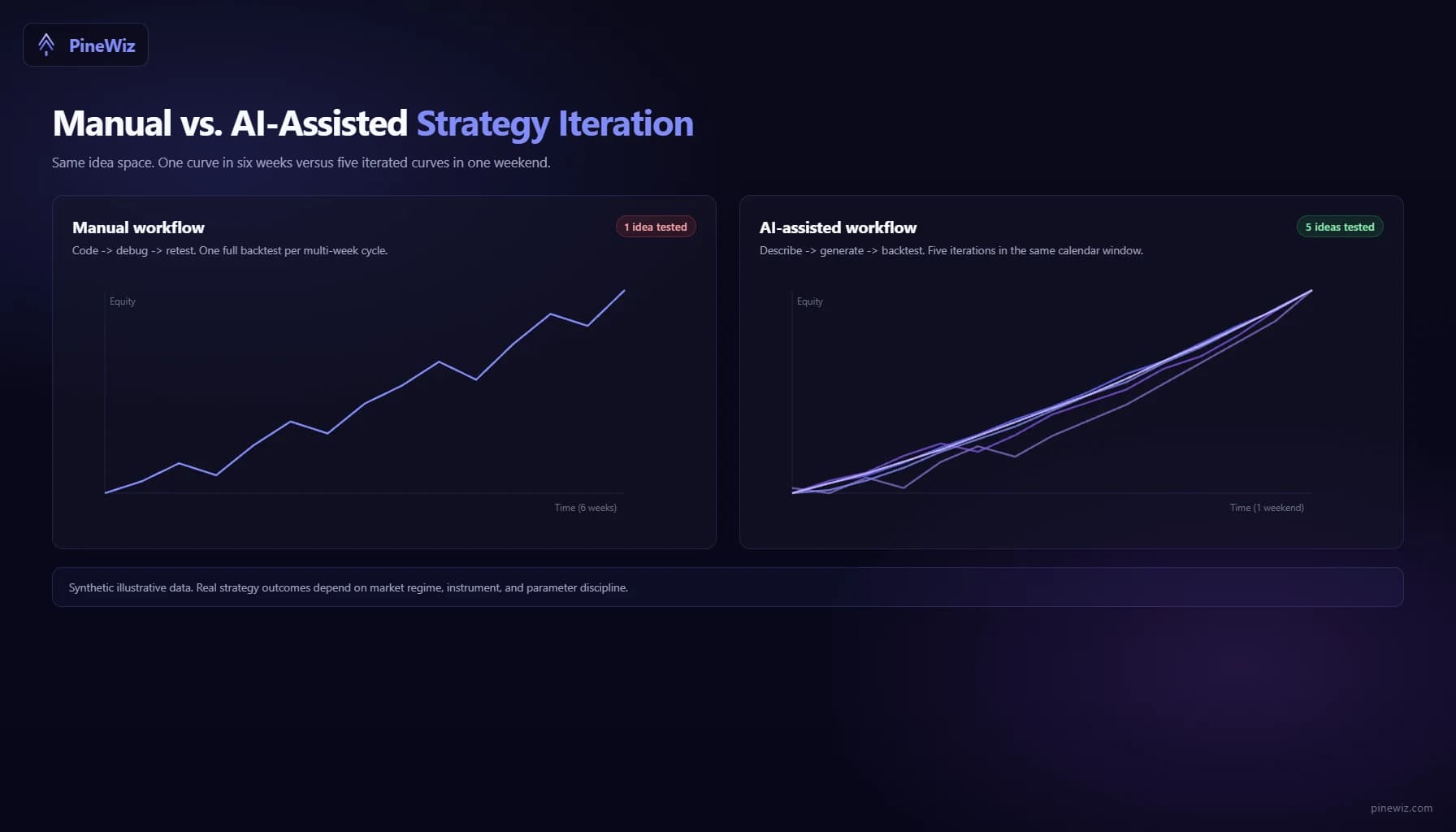
The constraint stops being "how fast can I code this" and becomes "how clearly can I describe what I want next."
Common Pitfalls in AI-Driven Backtesting
Three failure modes show up repeatedly when traders adopt this workflow.
Overfitting to the backtest window. AI tools optimize what you ask for. If you keep iterating to maximize total return on the same 5-year window, you'll eventually find a combination of parameters that crushed that period and fails on the next one. The fix: hold out the most recent 12 months as out-of-sample data. Only test the final candidate strategy there, once, and trust that result more than the optimized window.
Treating the AI's defaults as gospel. When you don't specify commission, the AI picks something. When you don't specify session hours, the AI picks something. Those defaults may not match your broker or your timezone. Always read the strategy(...) declaration and confirm every default.
Skipping forward testing. A backtest with great numbers is not a tradeable strategy until you've paper-traded it on a live chart for at least a month. AI doesn't fix this — it just makes the path to "great backtest" shorter. Forward testing is still mandatory.
How AI Backtesting Fits Into a Real Workflow
The honest pitch for AI-driven backtesting is not "AI builds your strategies for you." It's "AI removes the coding friction so you can spend your time on strategy design and risk management."
Most retail traders who fail at algorithmic trading don't fail because their ideas are bad. They fail because they only got to test two ideas before they ran out of time or patience. AI backtesting raises the ceiling. You can test thirty ideas and discard the twenty-eight bad ones, instead of testing two and being forced to commit to whichever was slightly less bad.
The skill being tested shifts from "can you code this" to "can you describe a strategy precisely, evaluate the results honestly, and iterate without falling in love with the first promising backtest." Those skills are more useful and more transferable than Pine Script syntax.
Get From Idea to Backtest in Minutes
PineWiz is built for exactly this workflow. Describe a strategy in plain English, get clean Pine Script with barstate.isconfirmed gates, realistic commission settings, and proper session filters baked in by default. Paste the output into TradingView, run the Strategy Tester, and you'll be reading backtest results before you'd have finished the first paragraph of a Pine Script tutorial.
The best backtests come from clear thinking, not better syntax. Skip the syntax.
PineWiz Team
The PineWiz team specializes in Pine Script and algorithmic trading. We build AI tools that help retail traders turn their ideas into production-ready TradingView strategies and indicators — no coding required.
Ready to bring your idea to life?
Turn your trading ideas into Pine Script code without writing a single line.
Start Building