Best AI for Pine Script in 2026: The Best Pine Script AI Generators Compared
Looking for the best AI for Pine Script? We compare the best Pine Script AI generators in 2026 on code quality, features, pricing, and ease of use.
Why AI Pine Script Generators Exist
Pine Script is the language that powers TradingView's strategies and indicators. It's powerful, but it has a steep learning curve — especially for traders who think in chart patterns and risk-reward ratios, not syntax and variables. AI Pine Script generators bridge that gap by converting plain English descriptions into working code.
The market has exploded in 2026. There are now dozens of tools claiming to generate Pine Script from natural language — from specialized platforms built exclusively for TradingView to general AI models like ChatGPT. But not all generators are equal. Some produce clean, compilable code. Others spit out broken syntax from deprecated versions that won't even run.
This guide cuts through the noise. We evaluate the top AI Pine Script generators based on what actually matters: code accuracy, feature support, pricing, and ease of use.
What to Look for in an AI Pine Script Generator
Before comparing specific tools, you need to know what separates a useful generator from a gimmick. Here are the six criteria that matter most.
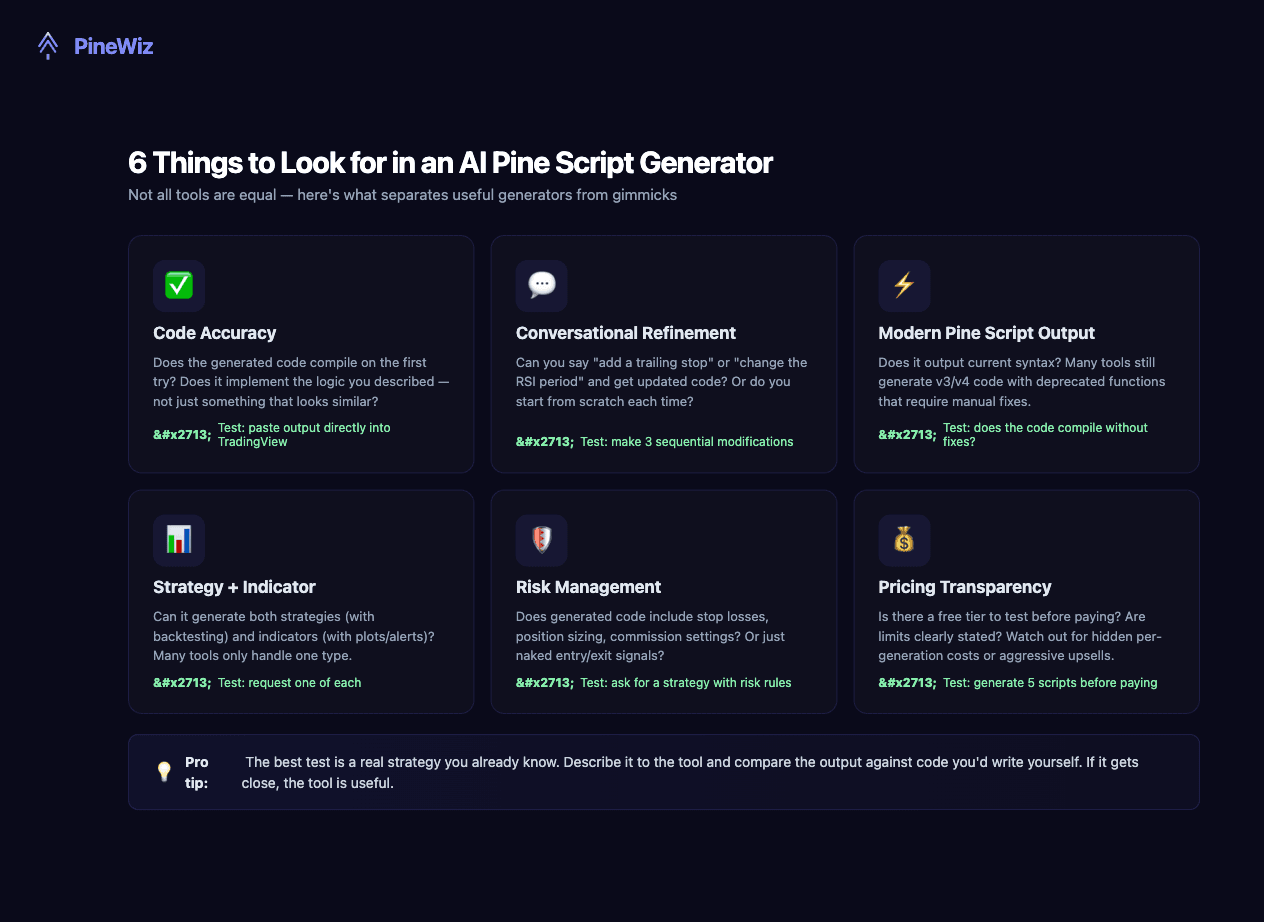
- Code accuracy: The generated code should compile on the first try and implement the logic you described. A tool that produces code requiring 30 minutes of debugging isn't saving you time.
- Conversational refinement: Can you say "add a trailing stop" and get updated code? Or do you restart from scratch? Iterative refinement is essential for building real strategies.
- Modern Pine Script output: Some tools still generate outdated v3/v4 code with deprecated functions. The output should use current syntax that compiles without manual fixes.
- Strategy + indicator support: Some tools only generate strategies (with backtesting). Others only do indicators (with plots). The best handle both.
- Risk management: Does the output include stop losses, position sizing, and commission settings? Or just naked entry/exit signals?
- Pricing transparency: Is there a free tier? Are usage limits clear? Watch for hidden per-generation costs.
The Two Categories of AI Pine Script Generators
AI Pine Script generators fall into two buckets, and understanding the difference will save you from choosing the wrong tool.
Specialized generators are purpose-built for Pine Script. They're trained or fine-tuned on TradingView's syntax, they know the quirks of Pine Script (like series vs. simple types), and they output code designed specifically for TradingView's compiler. Some include visual editors, built-in backtesting, or strategy optimization tools.
General AI models like ChatGPT and Claude can write Pine Script, but it's not their primary purpose. They're trained on everything — Python, JavaScript, essays, recipes — and Pine Script is a tiny fraction of that training data. The result: they often mix up version syntax, hallucinate functions that don't exist, or produce code that looks correct but contains subtle logical errors like repainting indicators.
The best approach? Use a specialized tool for code generation, and a general AI model for learning concepts or debugging specific errors.
AI Pine Script Generators Compared
Here's how the top tools compare on the features that matter most. We've kept tool names generic for the specialized category since features and pricing change frequently — focus on the feature columns to evaluate what matters for your use case.
| Tool | Approach | Modern Pine Script | Strategies | Indicators | Chat Refinement | Built-in Backtest | Pricing |
|---|---|---|---|---|---|---|---|
| Specialized AI Generators | |||||||
| Tool A | Custom model | ✅ | ✅ | ✅ | ✅ | ❌ | Free tier |
| Tool B | Custom model | ✅ | ✅ | ❌ | ✅ | ✅ | $29/mo |
| Tool C | GPT wrapper | ⚠️ | ✅ | ✅ | ❌ | ❌ | $149/mo |
| General AI Models | |||||||
| ChatGPT / GPT-4 | General LLM | ⚠️ | ✅ | ✅ | ✅ | ❌ | $20/mo |
| Claude | General LLM | ⚠️ | ✅ | ✅ | ✅ | ❌ | $20/mo |
| PineWiz | Custom pipeline | ✅ | ✅ | ✅ | ✅ | ❌ | Free tier |
✅ = full support ⚠️ = partial/inconsistent ❌ = not available. Pricing and features as of April 2026.
The Problem with General AI Models for Pine Script
ChatGPT and Claude are impressive general-purpose AI models, but they have specific weaknesses when it comes to Pine Script:
- Version confusion: They frequently mix different Pine Script versions in the same script. Functions like
study()(v4) get used alongsideinput.int()(v5), causing compilation errors. - Hallucinated functions: General models sometimes invent Pine Script functions that don't exist — like
ta.macd()as a single function returning all three MACD components. - Repainting issues: The most dangerous problem. General AI doesn't understand TradingView's real-time execution model. It generates code that uses
closeon the current bar without realizing this value changes until the bar closes — creating strategies that look amazing in backtests but fail in live trading. - Type system errors: Pine Script's series/simple type system is unique. General AI frequently produces type conflicts — like using a
series floatwhere asimple intis required.
This doesn't mean general AI is useless for Pine Script. It's great for explaining concepts, debugging specific errors, or generating code snippets that you then assemble yourself. But for full strategy generation, a specialized tool produces significantly better results.
Free vs. Paid: Where's the Sweet Spot?
Price doesn't always correlate with quality. Some free tools outperform expensive ones, and some paid tools charge $149/month for what is essentially a ChatGPT wrapper with a Pine Script prompt.
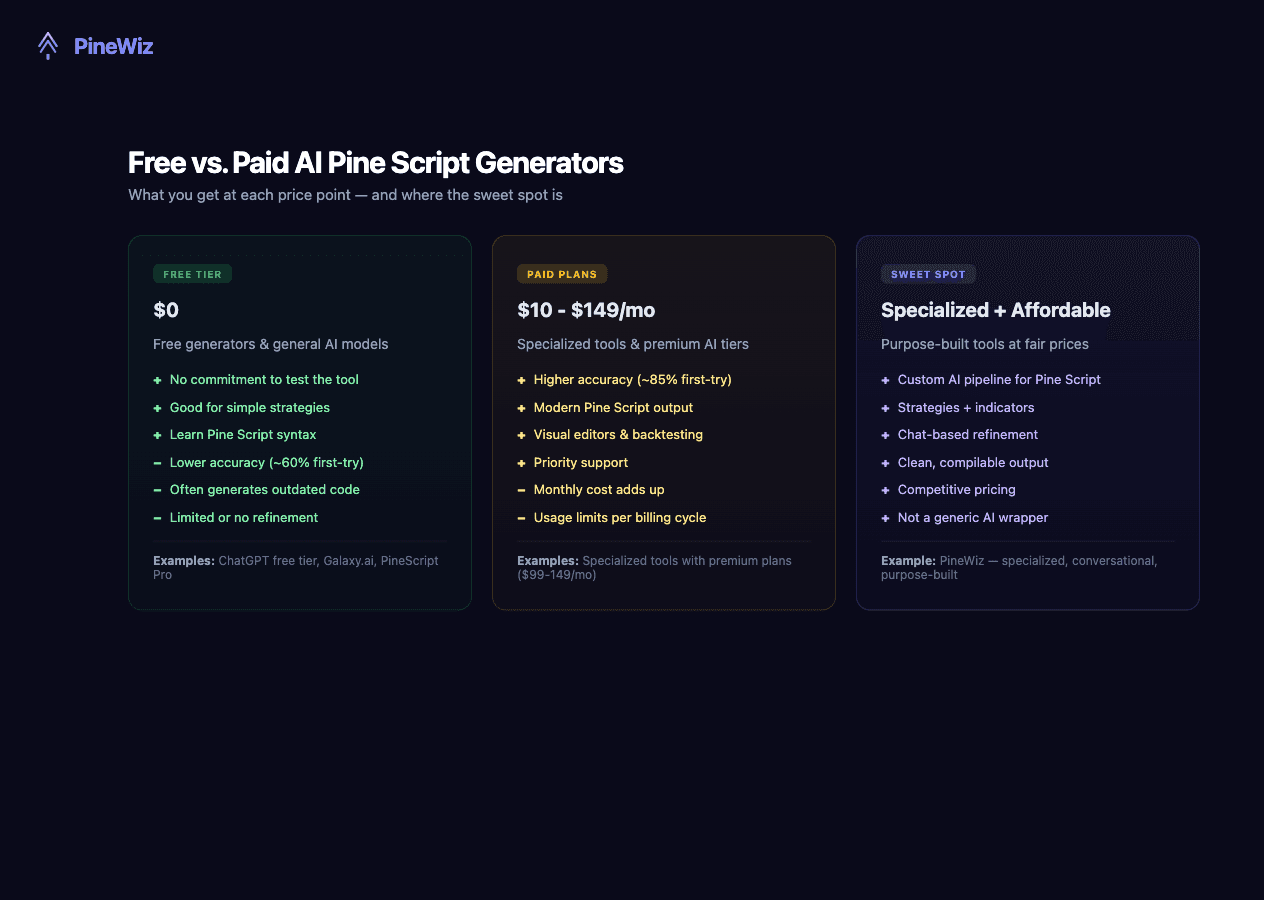
The sweet spot is a tool that's specialized for Pine Script (not a general AI model) and priced fairly. You get the accuracy benefits of a purpose-built pipeline without paying $149/month for what could be a simple GPT wrapper.
How to Test Any AI Pine Script Generator
Before committing to any tool, run this 5-minute test:
- Step 1: Describe a strategy you already know well — something you've coded by hand or tested before. For example: "RSI crosses below 30 with price above the 50 SMA, 2% stop loss, 4% take profit."
- Step 2: Paste the output directly into TradingView. Does it compile? If not, how many errors?
- Step 3: Check the version. Is it using modern Pine Script syntax? If it outputs v3 or v4 code with deprecated functions, the tool is behind.
- Step 4: Ask for a modification: "Add a volume filter." Does it update the code correctly, or does it break something else?
- Step 5: Compare the backtest results against your known strategy. If the numbers are wildly different, there may be logical errors in the generated code.
A tool that passes all five steps is genuinely useful. A tool that fails at step 2 is wasting your time.
Where PineWiz Fits In
PineWiz was built to solve the specific problems we've described. It's not a ChatGPT wrapper — it uses a custom AI pipeline specifically designed for Pine Script generation. It supports both strategies and indicators, outputs clean working code, and lets you refine through conversation.
What sets PineWiz apart is its custom AI pipeline — not a generic LLM with a Pine Script prompt bolted on. Describe your strategy or indicator in plain English, get working Pine Script code, paste it into TradingView, and start backtesting.
Whether you're building a simple RSI strategy or a complex multi-indicator system with dynamic position sizing, PineWiz handles it — and you can refine the output through natural conversation until it's exactly what you need.
PineWiz Team
The PineWiz team specializes in Pine Script and algorithmic trading. We build AI tools that help retail traders turn their ideas into production-ready TradingView strategies and indicators — no coding required.
Ready to bring your idea to life?
Turn your trading ideas into Pine Script code without writing a single line.
Start Building