How to Convert Any TradingView Indicator into a Backtestable Strategy with AI
Turn any TradingView indicator into a backtestable Pine Script strategy in minutes — manual method + AI shortcut walkthrough.
You found a TradingView indicator that paints beautiful signals on your chart. Arrows everywhere. Looks like easy money. Then you try to backtest it — and realize you can't. Indicators don't produce trades. They produce paint.
The gap between "this indicator looks great" and "this strategy is profitable" is wider than most retail traders expect. To bridge it, you need to convert the indicator into a strategy: code that opens positions, manages risk, and produces an equity curve you can actually evaluate.
This guide walks through the full conversion process — first the manual method, then the AI shortcut that does it in one prompt.
Why Indicators and Strategies Are Different Things in Pine Script
In Pine Script, indicator() and strategy() are two different declaration types. They look similar in source code, but TradingView treats them very differently.
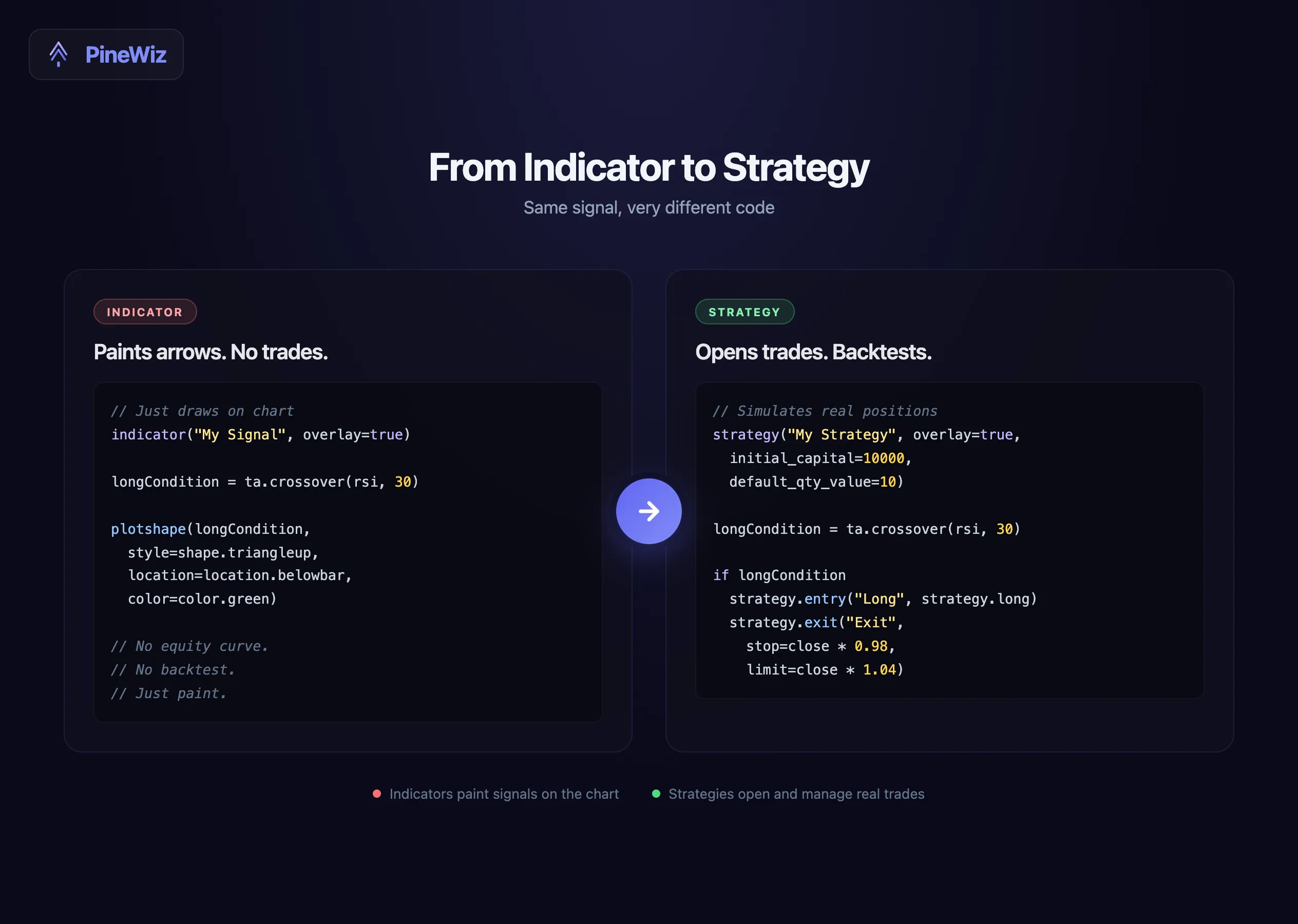
An indicator only draws on the chart. It can plot a line, paint a candle, fire an alert — but it cannot open or close a trade. There is no equity curve, no win rate, no max drawdown. The Strategy Tester tab is empty when an indicator is loaded.
A strategy is what the Strategy Tester runs against. It uses strategy.entry(), strategy.exit(), strategy.close(), and a handful of other functions that simulate trades against historical data. When you load a strategy script, TradingView produces a full performance report.
The conversion is more than a rename. You have to define entries, exits, position sizing, stops, and how the strategy handles edge cases like overlapping signals.
The 6-Step Manual Conversion Checklist
Most indicator-to-strategy conversions follow the same six steps. Here is the full process, with the actual code changes you make at each step.
Step 1: Change the declaration
The first line tells TradingView what kind of script this is. Change it.
//@version=6
// Before — indicator
indicator("Order Block", overlay=true)

// After — strategy
strategy("Order Block Strategy", overlay=true,
         initial_capital=10000,
         default_qty_type=strategy.percent_of_equity,
         default_qty_value=10,
         commission_type=strategy.commission.percent,
         commission_value=0.1)
The strategy declaration carries the parameters that make backtests realistic: starting capital, position sizing, and commission. Skip these and your equity curve becomes fiction.
Step 2: Identify the entry signal
Read through the indicator's code and find the boolean condition that produces its main signal. It might be crossover(), a structural break, or a multi-condition and chain.
This boolean is your entry trigger. Rename it longCondition (or shortCondition) so the rest of the strategy reads cleanly.
Step 3: Define the exit logic
This is where most converted indicators fail. The original indicator only paints arrows — it never decided when to leave the trade. You have to add that logic yourself.
The three common exit patterns:
- Opposite signal exit — close the long when a short signal appears.
- Fixed stop loss + take profit — exit on a price level.
- Trailing stop — let winners run, cut losers fast.
For most indicator conversions, start with a fixed stop and take profit at a 2:1 reward-to-risk ratio. You can refine later.
Step 4: Replace plot calls with strategy calls
Indicator code typically ends with plotshape() or plot() to draw the signal on the chart. Replace these with strategy.entry() and strategy.exit().
// Before — indicator
plotshape(longCondition, style=shape.triangleup, location=location.belowbar, color=color.green)

// After — strategy
if longCondition
    strategy.entry("Long", strategy.long)
    strategy.exit("Exit", "Long",
         stop=close * (1 - 0.02),
         limit=close * (1 + 0.04))
The if block fires only when the condition turns true on a new bar. The exit attaches stop and take profit orders that execute the moment either price level is hit.
Step 5: Handle position state
A strategy needs to know whether it's already in a position. Otherwise it will pyramid trades — opening a new long every bar the signal fires.
Add a guard:
if longCondition and strategy.position_size == 0
    strategy.entry("Long", strategy.long)
Now the strategy only enters when flat. If you want pyramiding, add pyramiding=N to the strategy declaration and remove the guard.
Step 6: Wire up alerts
The final step makes the strategy tradeable in real time. Use alert() inside the entry block to fire a webhook payload to your broker.
if longCondition
    strategy.entry("Long", strategy.long)
    alert('{"action": "buy", "ticker": "{{ticker}}", "price": {{close}}}',
          alert.freq_once_per_bar_close)
Now the strategy is a complete loop: signal → entry → managed exit → alert. You can backtest it on the Strategy Tester, and once you are happy, attach the alert to a live webhook URL.
The Painful Parts Most Tutorials Skip
The six steps above get you a working strategy. They don't get you a profitable one. Three more issues separate "compiles" from "trades well."
- Position sizing.
default_qty_value=10means 10% of equity per trade. If you trade three uncorrelated symbols simultaneously with the same script, you'll be overleveraged. Decide whether to scale by volatility (ATR-based), by fixed dollar risk, or by percent of equity — and stick to it. - Pyramiding. By default, Pine Script allows one position. If you want to add to a winner on each new signal, you must set
pyramiding=4(or whatever max) in the declaration. But pyramiding inflates backtests in ways that rarely hold up live. Test both with and without. - Alert frequency.
alert.freq_once_per_bar_closefires only after the bar closes — safe but laggy.alert.freq_once_per_barfires intra-bar — fast but can flip-flop. Pick wrong and your live signals diverge from your backtest by entire trades.
The AI Shortcut: One Prompt Instead of Six Steps
The manual process works but takes most retail traders an hour or two of careful editing — longer if the original indicator code is messy.
The AI shortcut compresses it to one prompt.
In PineWiz, paste the original indicator code or describe the signal in plain English. Add the strategy parameters you want: "use a 2% stop loss, 4% take profit, 10% position sizing, only enter when flat." The AI returns a complete strategy script with all six steps already done.
The advantage is not just speed. The AI handles the brittle parts — position state guards, alert syntax, parameter scaffolding — that humans tend to forget. Most strategies that fail to compile do so because a single function name was misspelled or a var was missing. The AI does not make those mistakes.
You can iterate by conversation. "Add a volume filter." "Switch to ATR-based stops." "Cap daily losses at 3%." Each request modifies the strategy in place — no rewriting from scratch.
Validating the Converted Strategy
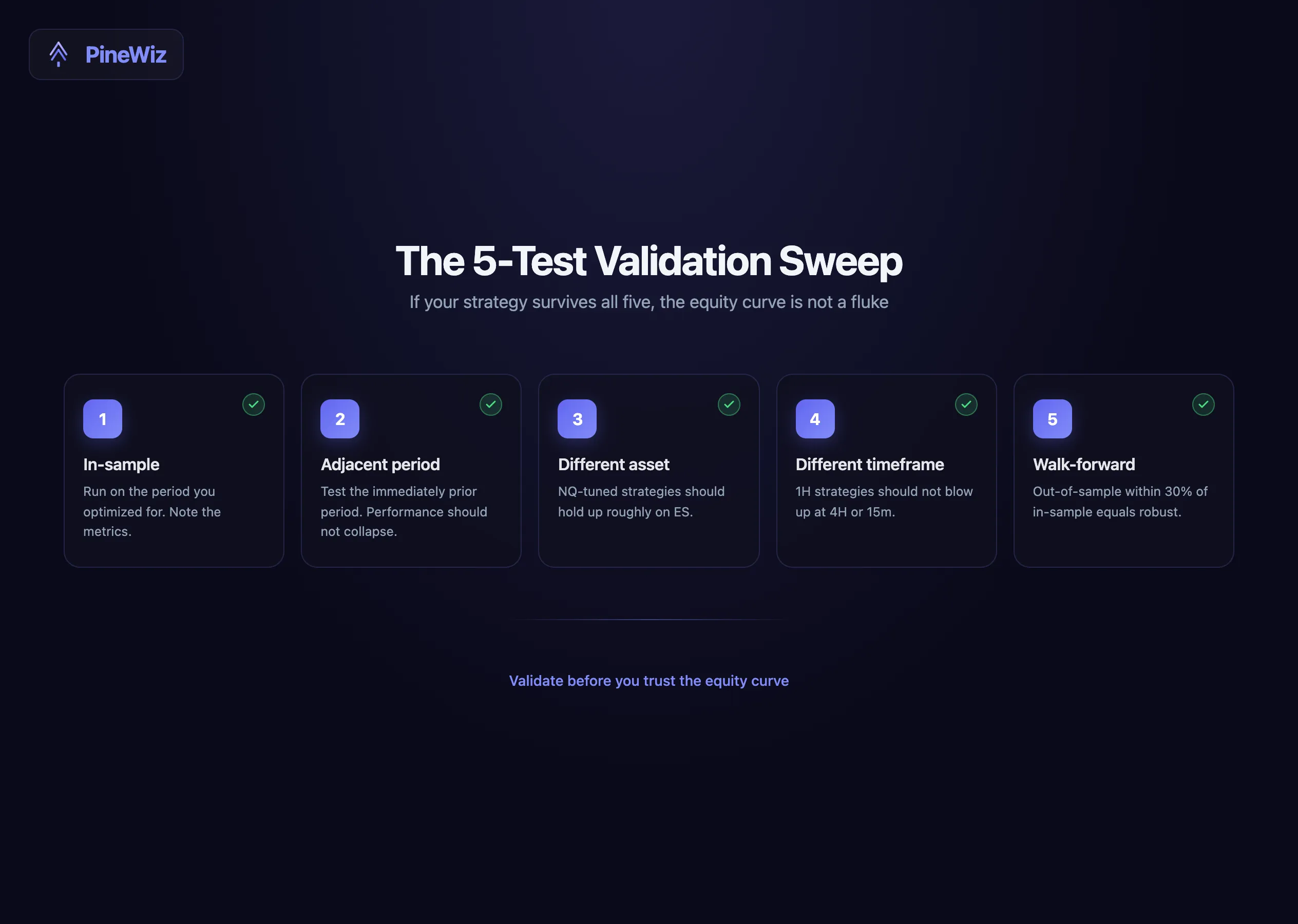
Once you have the strategy compiled and showing trades on the Strategy Tester, do not trust the first equity curve. Validate.
The five-timeframe test catches most overfitting:
- In-sample timeframe. Run the strategy on the period you optimized for. Note the metrics.
- Adjacent timeframe. Run on the immediately prior period. Performance should not collapse.
- Different asset. Run on a correlated but distinct symbol. A strategy tuned to NQ should hold up roughly on ES.
- Different timeframe. Run on a higher and lower interval. A 1-hour strategy should not catastrophically fail at 4-hour or 15-minute.
- Walk-forward. Re-optimize on a rolling window and test on the next out-of-sample chunk. If walk-forward results are within 30% of in-sample, the strategy is reasonably robust.
Common Pitfalls When Converting
Three mistakes show up in almost every first-time conversion.
- Treating overbought as automatic exit. If the indicator's exit signal is "RSI > 70," you will exit early in trends. Test with both signal-based and fixed-target exits.
- Forgetting
process_orders_on_close=true. Without this, market orders fill at the next bar's open, which inflates backtest results by hiding entry slippage. - Skipping commission. A strategy with 50 trades a month and zero commission shows wildly different results than the same strategy with 0.1% per side. Always set realistic commission and slippage.
Build Your Strategy Without Touching the Code
The conversion checklist above is the long way around. It works, but it punishes mistakes — a single misplaced if block can hide for weeks before you notice the strategy is firing extra trades.
The faster route: describe the strategy you want in plain English, let PineWiz generate the strategy script with all six conversion steps already handled, then paste it into TradingView and click Strategy Tester. You go from idea to backtested equity curve without writing a single line of Pine Script.
If you have an indicator you love but cannot convert, paste its code into PineWiz and ask for a strategy version with your preferred risk parameters. You will have a working backtest in under a minute.
PineWiz Team
The PineWiz team specializes in Pine Script and algorithmic trading. We build AI tools that help retail traders turn their ideas into production-ready TradingView strategies and indicators — no coding required.
Ready to bring your idea to life?
Turn your trading ideas into Pine Script code without writing a single line.
Start Building